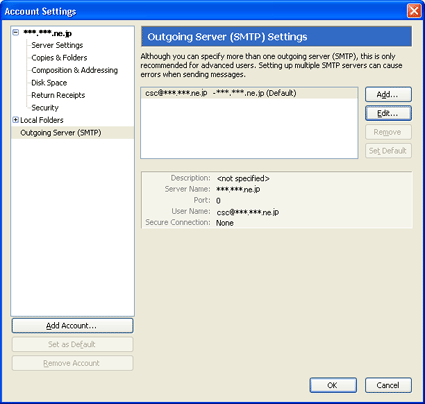
Select "Account Settings" from "Tools" in the menu bar. The "Account Settings" window appears. From the menu on the left, select "Outgoing Server (SMTP)". Select the appropriate account to be displayed then press the "Edit..." button.
2.
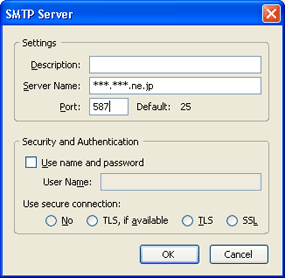
The "SMTP Server" window appears. Change the settings as shown below then press the "OK" button. Then, press the "OK" button from the "Account Settings" window..