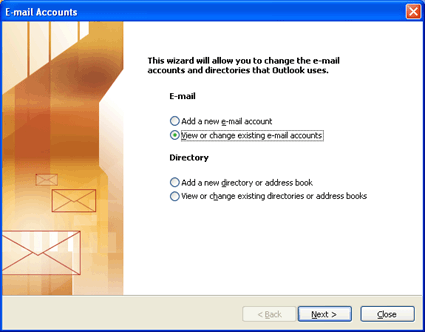
After launching Outlook 2003, select "E-mail Accounts" from the "Tools" menu. The "E-mail Accounts" window appears. Select "View or change existing e-mail accounts" then click "Next >".
2.
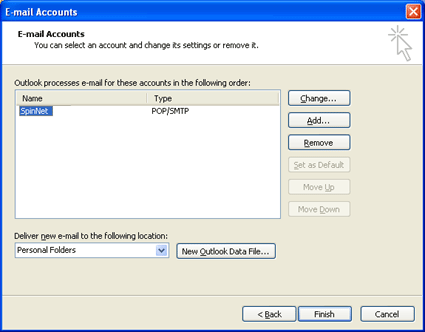
Select the appropriate account from the "E-mail Accounts" window then press the "Change..." button.
3.
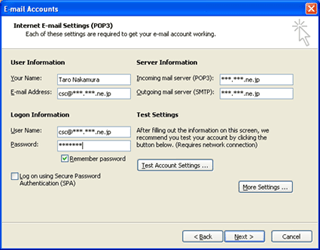
At the "E-mail Accounts" screen, , change the settings as below. Then press the "OK" button. button.