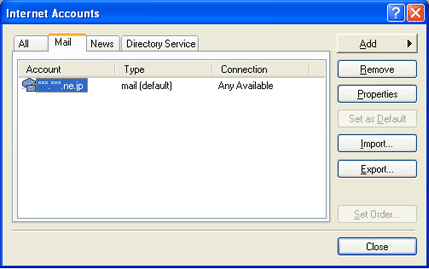
Select "Accounts" from the "Tools menu". The "Internet Accounts" window appears. Select the "Mail" tab, select the account already set then click "Properties".
2.
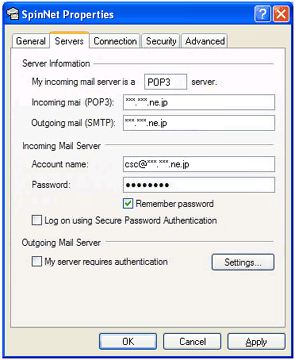
The mail account properties window appears. Select "Servers" then change your setting as below.
Account name:
Your mail address
3.
Click the "OK" button then click the "Close" button in the "Internet Accounts" window.