|
|
|
|
|
| |
 |
|
|
| 1. |
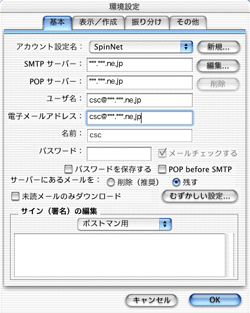
Select the “メール基本” icon from the “設定” menu in the “PostPet V3 操作パネル”. |
| 2. |
Select the “基本” tab then click “むずかしい設定...”. |
| 3. |
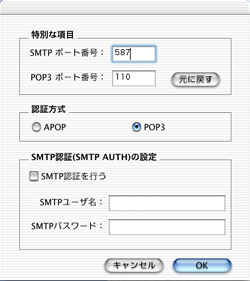
Click the “変更する” button from “特別な項目”, create the “SMTPポート番号” settings then press the “OK” button. Then, from the “環境設定” screen, press the “OK” button. |
|
|
|
|
|